




What credit cards offer the DoorDash $10 non-restaurant credit?
NCnextcard team

Advertiser Disclosure: nextcard may receive compensation from card issuers. Opinions expressed here are the author's alone, not those of any bank, credit card issuer, airlines or hotel chain. For the most up-to-date terms & conditions, refer to the official credit card application on the issuer's website.
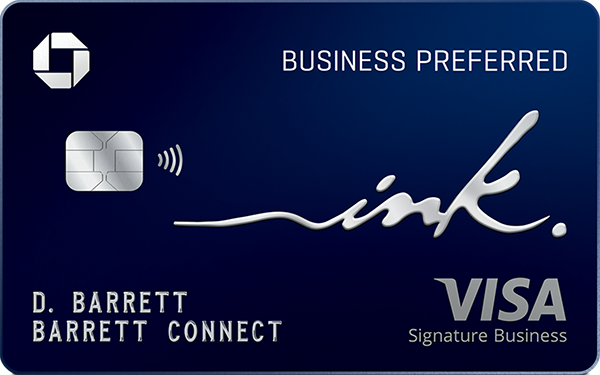
If you have a Chase card, you probably have this credit.
The Chase DoorDash $10 credit can turn a small grocery, convenience, retail, or flower order into an inexpensive pickup or delivery. The catch? You can use it on anything on DoorDash, except restaurants… thus the “$10 DoorDash nonrestaurant credit.”
There is no obvious “use my Chase credit” filter. Stores that appear eligible may not qualify, the promotion can be buried at checkout, and choosing the wrong payment method can make it disappear. Even cardholders who know they have the credit often give up because figuring out where and how to use it takes more effort than saving $10 should.
This guide walks through the fastest way to find a qualifying store, activate the offer, and verify the discount before placing your order.
The $10 Chase DoorDash benefit applies to qualifying non-restaurant orders.
Depending on your eligible Chase card, the $10 offer may be available monthly or quarterly and requires an active qualifying DashPass membership.
Use nextcard’s DoorDash Chase credit map to find nearby non-restaurant merchants.
Pay with the Chase card used to enroll in DashPass and select the promotion at checkout.
The discount applies to the qualifying subtotal, not fees, taxes, or gratuity, so confirm the final total before placing any order.
The benefit is a recurring $10 DoorDash promotion for an eligible non-restaurant order. “Non-restaurant” generally includes merchants in DoorDash categories such as grocery, convenience, retail, and flowers. A DoorDash restaurant order will not trigger the $10 credit. Many Chase cards (more on that in a second) have this benefit.

The savings appear during DoorDash checkout and you must toggle the offer on before submitting the order. DoorDash’s Chase cardmember help page also warns that the promotion is not applied automatically.
As mentioned, a lot of Chase cards have the DoorDash benefit, albeit on varying cadences. Note: you must also be enrolled in DashPass to get the benefit.
Card group | Typical $10 non-restaurant benefit | Reset cadence |
|---|---|---|
Chase Sapphire Reserve® , Sapphire Reserve for Business℠ , and J.P. Morgan Reserve | Two $10 promotions, each requiring a separate order | Monthly |
One $10 promotion | Monthly | |
Eligible Chase Freedom and Slate cards | One $10 promotion | Quarterly |
Eligible Chase co-branded cards | One $10 promotion | Quarterly |
Chase Sapphire Reserve® cardmembers have a separate $5 restaurant DoorDash promotion (for a total of 3 separate DoorDash promos to use per month, worth up to $25/month).
There’s a one time setup process required to even use the $10 DoorDash benefit.
Open DoorDash and add your eligible Chase card directly under Payment. Avoid adding it only through Apple Pay, Google Pay, or another third-party wallet, because those payment routes are excluded under the published terms.
Set the Chase card as the default payment method.
Next, go to Settings and then Manage DashPass
Here’s you’ll be able to activate the Chase-provided DashPass offer. Some Chase cards provide complimentary DashPass for a limited period.
Once your DashPass is activated, then you’ll the Chase $10 DoorDash coupon at your disposal.

Search DoorDash’s grocery, convenience, retail, or flower categories. To narrow the search before building a cart, use nextcard’s DoorDash non-restaurant credit map; we mapped out all 184,000+ eligible locations on a map.

The promotion applies to the merchandise subtotal, not to taxes, service charges, delivery charges, or the driver tip. If the qualifying subtotal is less than $10, the credit won’t apply at all.
A compact pickup order can reduce the amount lost to delivery and service fees, but be wary that there may be minimum order sizes for pickups (sometimes $15-20 minimum)
Once you’re finished, proceed to checkout. If your eligible Chase card is selected as your payment method and your subtotal qualifies, you’ll see a toggle appear to use the $10 credit.

If you also have another eligible DoorDash cart-level promotion, the published rules allow the Chase offer to stack with up to one additional promotion, although the checkout screen is the final authority for that order. For instance, we’ve been able to stack both this $10 Chase nonrestaurant credit with a Sephora spend $100, get $40 back… pretty good deal.
Select the same Chase card used to activate DashPass. Paying with a different card or a third-party digital wallet can remove the offer. Sapphire Reserve cardmembers with two monthly promotions must place two separate qualifying orders; the two $10 offers cannot become a single $20 discount on one order.
DoorDash doesn’t offer a simple filter for Chase-eligible non-restaurant orders. Instead of searching through the app one store at a time, use nextcard’s free map to find nearby options before building your cart.
The map includes 184,000+ DoorDash locations and lets you filter by:
Pickup or delivery
Grocery, convenience, pharmacy, retail, flowers, and other store types
City or nearby location
Find stores near you with the DoorDash Chase credit map →
Once you find a promising store, open it on DoorDash and confirm that the $10 promotion appears at checkout. Availability and order requirements can change, so checkout is always the final confirmation.
Pickup can be the best-value choice when it is convenient. It may eliminate delivery charges and lets more of the promotion offset merchandise instead of merely compensating for platform costs. The issue is that you might run into pickup order minimums. However, this seems to vary from store to store and from account to account, so it’s hard to figure out rhyme/reason to this pattern so far.
Delivery may still be worthwhile when it replaces a trip, but include the service fee, delivery fee, markup, taxes, and tip in your comparison.
Plan around the reset. Monthly and quarterly promotions expire at the end of their applicable period and do not roll over. However, do not spend solely to avoid “wasting” a benefit. The promotion saves money only when the final order costs less than an alternative you would reasonably choose.
If you’re having trouble keeping track of your credit card benefits, make sure to sign up for nextcard. It’s free and lets you centralize all of your credit card benefits and credits.
First, confirm that DashPass is active through the eligible Chase card and that the same card is selected at checkout. Then check that the order is from a non-restaurant merchant, meets the displayed requirements, and still falls within the promotion period. Also confirm that you have not already redeemed the available offer.
If the setup looks correct, update the DoorDash app, sign out and back in, or remove and re-add the Chase card directly.
If the promotion remains missing, contact DoorDash customer support before ordering; discounts generally cannot be applied retroactively.
The Chase DoorDash $10 promotion is worth using when it offsets a non-restaurant purchase you already planned to make. Start with the nextcard DoorDash Chase nonrestaurant map to find nearby merchants, compare pickup and delivery costs, and confirm the promotion before placing the order.
We personally like the credit a lot because we’ve been able to find “nonrestaurants” that sell sandwiches. But of course, this will vary tremendously depending on where you live and you may find the credit more of a hassle than its worth.
No. It is a DoorDash promotion selected at checkout. The order total should reflect the discount before you place the order. This is nice, because you can see the promotion apply straight away rather than having to wait a few weeks.
No. This promotion is for eligible non-restaurant orders. You can use nextcard’s DoorDash nonrestaurant map to find eligible merchants.
No. Cards that receive two promotions require two separate qualifying orders. Each order can use only one of the $10 Chase non-restaurant offers.
No. An unused monthly or quarterly offer expires at the end of its applicable period.
Not if you want the Chase DashPass promotion. Add the eligible Chase card directly to DoorDash and select it at checkout; third-party digital wallets are excluded under the published terms. You also must have an active DashPass membership for the $10 promo to even appear.
No. The discount applies to the qualifying merchandise subtotal. Taxes, fees, and gratuity remain your responsibility, so check the final total before ordering. If your subtotal is less than $10, the promo won’t work.
Advertiser Disclosure: nextcard may receive compensation from card issuers. Opinions expressed here are the author's alone, not those of any bank, credit card issuer, airlines or hotel chain. For the most up-to-date terms & conditions, refer to the official credit card application on the issuer's website.
If you have a Chase card, you probably have this credit.
The Chase DoorDash $10 credit can turn a small grocery, convenience, retail, or flower order into an inexpensive pickup or delivery. The catch? You can use it on anything on DoorDash, except restaurants… thus the “$10 DoorDash nonrestaurant credit.”
There is no obvious “use my Chase credit” filter. Stores that appear eligible may not qualify, the promotion can be buried at checkout, and choosing the wrong payment method can make it disappear. Even cardholders who know they have the credit often give up because figuring out where and how to use it takes more effort than saving $10 should.
This guide walks through the fastest way to find a qualifying store, activate the offer, and verify the discount before placing your order.
The $10 Chase DoorDash benefit applies to qualifying non-restaurant orders.
Depending on your eligible Chase card, the $10 offer may be available monthly or quarterly and requires an active qualifying DashPass membership.
Use nextcard’s DoorDash Chase credit map to find nearby non-restaurant merchants.
Pay with the Chase card used to enroll in DashPass and select the promotion at checkout.
The discount applies to the qualifying subtotal, not fees, taxes, or gratuity, so confirm the final total before placing any order.
The benefit is a recurring $10 DoorDash promotion for an eligible non-restaurant order. “Non-restaurant” generally includes merchants in DoorDash categories such as grocery, convenience, retail, and flowers. A DoorDash restaurant order will not trigger the $10 credit. Many Chase cards (more on that in a second) have this benefit.
The savings appear during DoorDash checkout and you must toggle the offer on before submitting the order. DoorDash’s Chase cardmember help page also warns that the promotion is not applied automatically.
As mentioned, a lot of Chase cards have the DoorDash benefit, albeit on varying cadences. Note: you must also be enrolled in DashPass to get the benefit.
Card group | Typical $10 non-restaurant benefit | Reset cadence |
|---|---|---|
Chase Sapphire Reserve® , Sapphire Reserve for Business℠ , and J.P. Morgan Reserve | Two $10 promotions, each requiring a separate order | Monthly |
One $10 promotion | Monthly | |
Eligible Chase Freedom and Slate cards | One $10 promotion | Quarterly |
Eligible Chase co-branded cards | One $10 promotion | Quarterly |
Chase Sapphire Reserve® cardmembers have a separate $5 restaurant DoorDash promotion (for a total of 3 separate DoorDash promos to use per month, worth up to $25/month).
There’s a one time setup process required to even use the $10 DoorDash benefit.
Open DoorDash and add your eligible Chase card directly under Payment. Avoid adding it only through Apple Pay, Google Pay, or another third-party wallet, because those payment routes are excluded under the published terms.
Set the Chase card as the default payment method.
Next, go to Settings and then Manage DashPass
Here’s you’ll be able to activate the Chase-provided DashPass offer. Some Chase cards provide complimentary DashPass for a limited period.
Once your DashPass is activated, then you’ll the Chase $10 DoorDash coupon at your disposal.
Search DoorDash’s grocery, convenience, retail, or flower categories. To narrow the search before building a cart, use nextcard’s DoorDash non-restaurant credit map; we mapped out all 184,000+ eligible locations on a map.
The promotion applies to the merchandise subtotal, not to taxes, service charges, delivery charges, or the driver tip. If the qualifying subtotal is less than $10, the credit won’t apply at all.
A compact pickup order can reduce the amount lost to delivery and service fees, but be wary that there may be minimum order sizes for pickups (sometimes $15-20 minimum)
Once you’re finished, proceed to checkout. If your eligible Chase card is selected as your payment method and your subtotal qualifies, you’ll see a toggle appear to use the $10 credit.
If you also have another eligible DoorDash cart-level promotion, the published rules allow the Chase offer to stack with up to one additional promotion, although the checkout screen is the final authority for that order. For instance, we’ve been able to stack both this $10 Chase nonrestaurant credit with a Sephora spend $100, get $40 back… pretty good deal.
Select the same Chase card used to activate DashPass. Paying with a different card or a third-party digital wallet can remove the offer. Sapphire Reserve cardmembers with two monthly promotions must place two separate qualifying orders; the two $10 offers cannot become a single $20 discount on one order.
DoorDash doesn’t offer a simple filter for Chase-eligible non-restaurant orders. Instead of searching through the app one store at a time, use nextcard’s free map to find nearby options before building your cart.
The map includes 184,000+ DoorDash locations and lets you filter by:
Pickup or delivery
Grocery, convenience, pharmacy, retail, flowers, and other store types
City or nearby location
Find stores near you with the DoorDash Chase credit map →
Once you find a promising store, open it on DoorDash and confirm that the $10 promotion appears at checkout. Availability and order requirements can change, so checkout is always the final confirmation.
Pickup can be the best-value choice when it is convenient. It may eliminate delivery charges and lets more of the promotion offset merchandise instead of merely compensating for platform costs. The issue is that you might run into pickup order minimums. However, this seems to vary from store to store and from account to account, so it’s hard to figure out rhyme/reason to this pattern so far.
Delivery may still be worthwhile when it replaces a trip, but include the service fee, delivery fee, markup, taxes, and tip in your comparison.
Plan around the reset. Monthly and quarterly promotions expire at the end of their applicable period and do not roll over. However, do not spend solely to avoid “wasting” a benefit. The promotion saves money only when the final order costs less than an alternative you would reasonably choose.
If you’re having trouble keeping track of your credit card benefits, make sure to sign up for nextcard. It’s free and lets you centralize all of your credit card benefits and credits.
First, confirm that DashPass is active through the eligible Chase card and that the same card is selected at checkout. Then check that the order is from a non-restaurant merchant, meets the displayed requirements, and still falls within the promotion period. Also confirm that you have not already redeemed the available offer.
If the setup looks correct, update the DoorDash app, sign out and back in, or remove and re-add the Chase card directly.
If the promotion remains missing, contact DoorDash customer support before ordering; discounts generally cannot be applied retroactively.
The Chase DoorDash $10 promotion is worth using when it offsets a non-restaurant purchase you already planned to make. Start with the nextcard DoorDash Chase nonrestaurant map to find nearby merchants, compare pickup and delivery costs, and confirm the promotion before placing the order.
We personally like the credit a lot because we’ve been able to find “nonrestaurants” that sell sandwiches. But of course, this will vary tremendously depending on where you live and you may find the credit more of a hassle than its worth.
No. It is a DoorDash promotion selected at checkout. The order total should reflect the discount before you place the order. This is nice, because you can see the promotion apply straight away rather than having to wait a few weeks.
No. This promotion is for eligible non-restaurant orders. You can use nextcard’s DoorDash nonrestaurant map to find eligible merchants.
No. Cards that receive two promotions require two separate qualifying orders. Each order can use only one of the $10 Chase non-restaurant offers.
No. An unused monthly or quarterly offer expires at the end of its applicable period.
Not if you want the Chase DashPass promotion. Add the eligible Chase card directly to DoorDash and select it at checkout; third-party digital wallets are excluded under the published terms. You also must have an active DashPass membership for the $10 promo to even appear.
No. The discount applies to the qualifying merchandise subtotal. Taxes, fees, and gratuity remain your responsibility, so check the final total before ordering. If your subtotal is less than $10, the promo won’t work.